


In today’s world, technology makes it easy to access important information at your fingertips. If you would like to stop getting physical mail and learn how to set up electronic delivery for your accounts here at Harvest Point®, follow these simple steps!
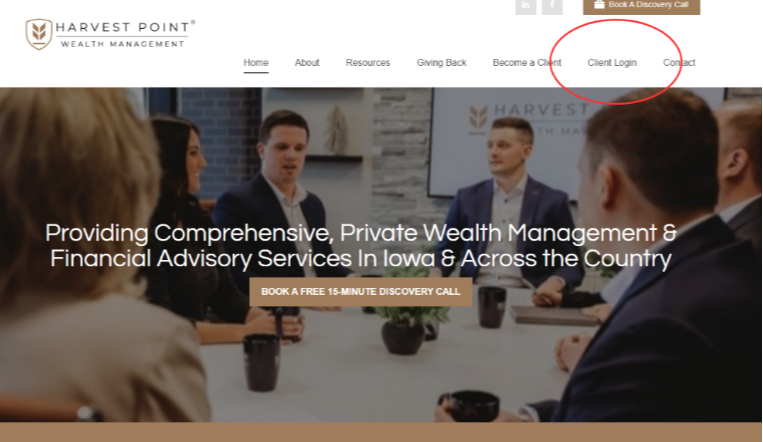
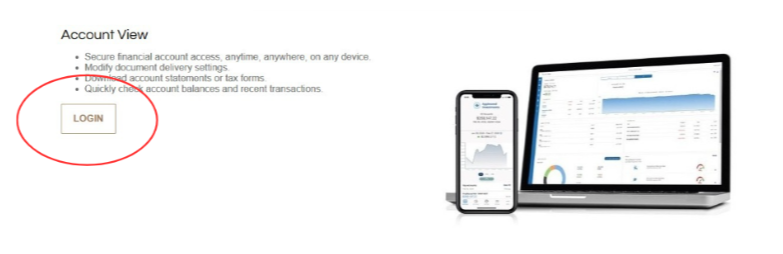
Step 1: Access your Account View profile by logging in through our site.
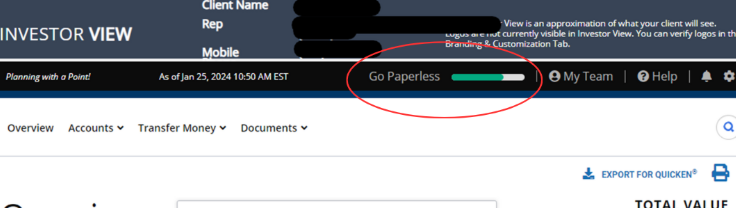
Step 2: On the homepage of your Account View site, click “Go paperless.”
Note: If you don’t see the “Go paperless” option, you can also click on the settings wheel on the top right-hand side.
Step 3: Select how you would like to receive each type of document.
Note: if you select paperless, then you will log in to your Account View site and click the Documents icon on the left-hand side to view appropriate documents.
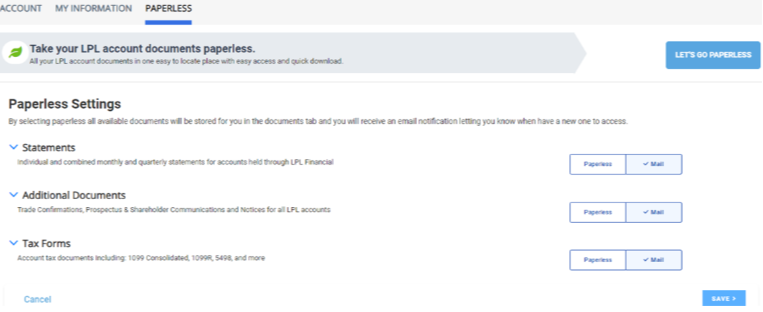
Step 4: Once you have made your selections, click save and accept the terms and conditions.
Step 5: Congratulations! You have successfully enrolled in paperless delivery.
Now, instead of receiving physical mail, you will be notified via email about any new statements, forms, or other additional Account View documents. You can also log in to Account View at any time and find all available documents in the ‘documents’ tab.
If you have any trouble or questions, please don't hesitate to give our team a call. We would be glad to assist you!